
At the update in March 2023 of Power BI, we saw the new feature Clear all slicer button and Apply all slicer button.
I created a demo and used these two buttons in the demo and I would like to share it with you.
I started by clicking on “Insert” on the top ribbon of the Power BI desktop, then selecting “Buttons” and then “Clear all slicers“. Next, select ” Apply all slicers“.

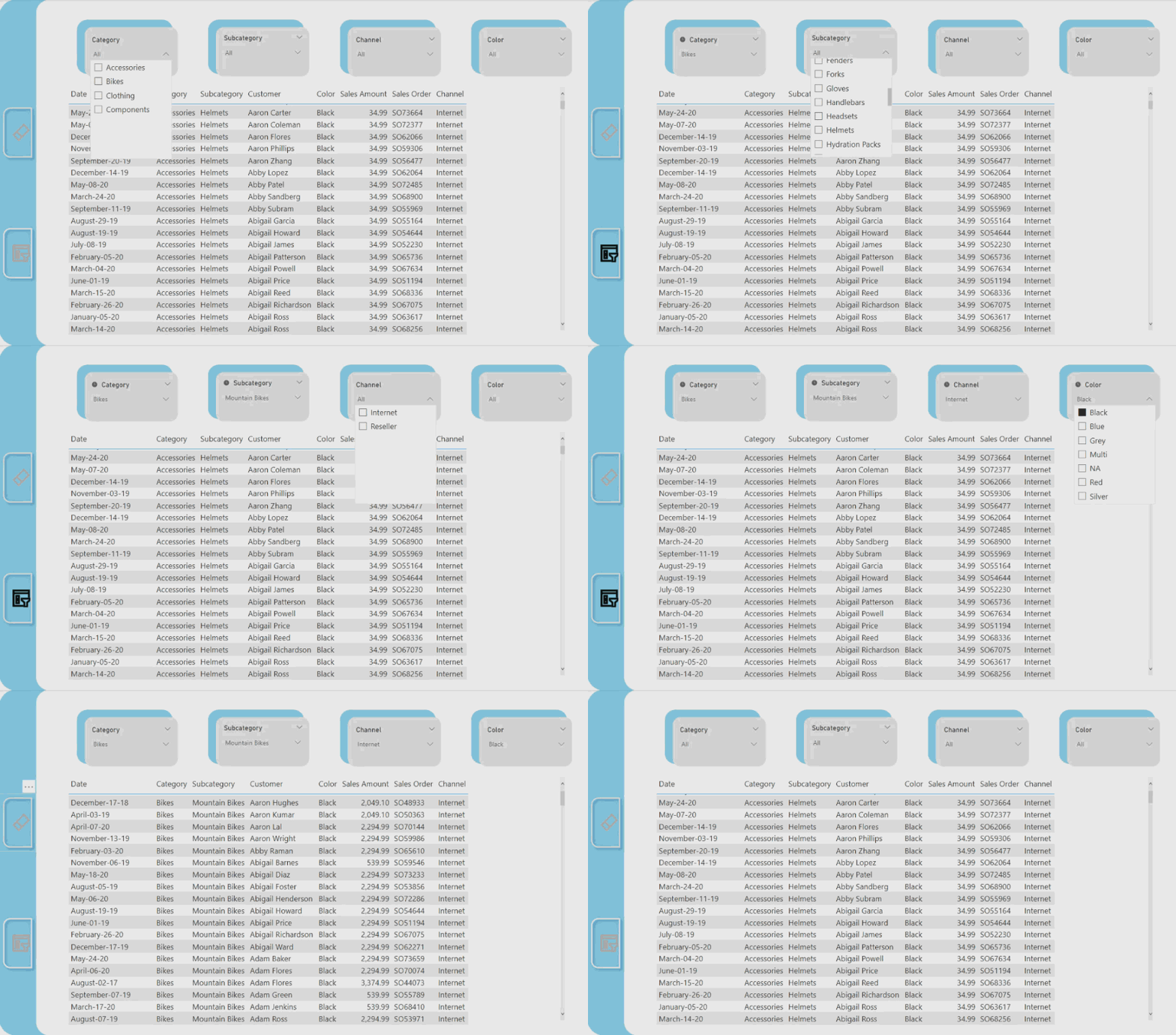
Once these two buttons appear on the report page, simply start to use them. First, for applying slicers, I selected all slicers that were needed, then (Ctrl + click) on the “Apply all slicers” button. After clicking, Slicers will filter the report visuals based on the selection of all slicers.

For example, I selected Bikes in the Category slicer, Mountain Bikes on the Subcategory slicer, internet in the Channel slicer, and Black in Color slicer. Then (Ctrl + Click) on the “Apply all slicers” button.

Next, instead of going to each slicer and clearing one by one, (Ctrl + click) on the “Clear all slicers” button on the report page and clear all the slicers, then the report page will no longer show filters on slicers.
From now, I will use this feature more in my new reports. How about you? Comment below. 😊

 Atefeh BI